
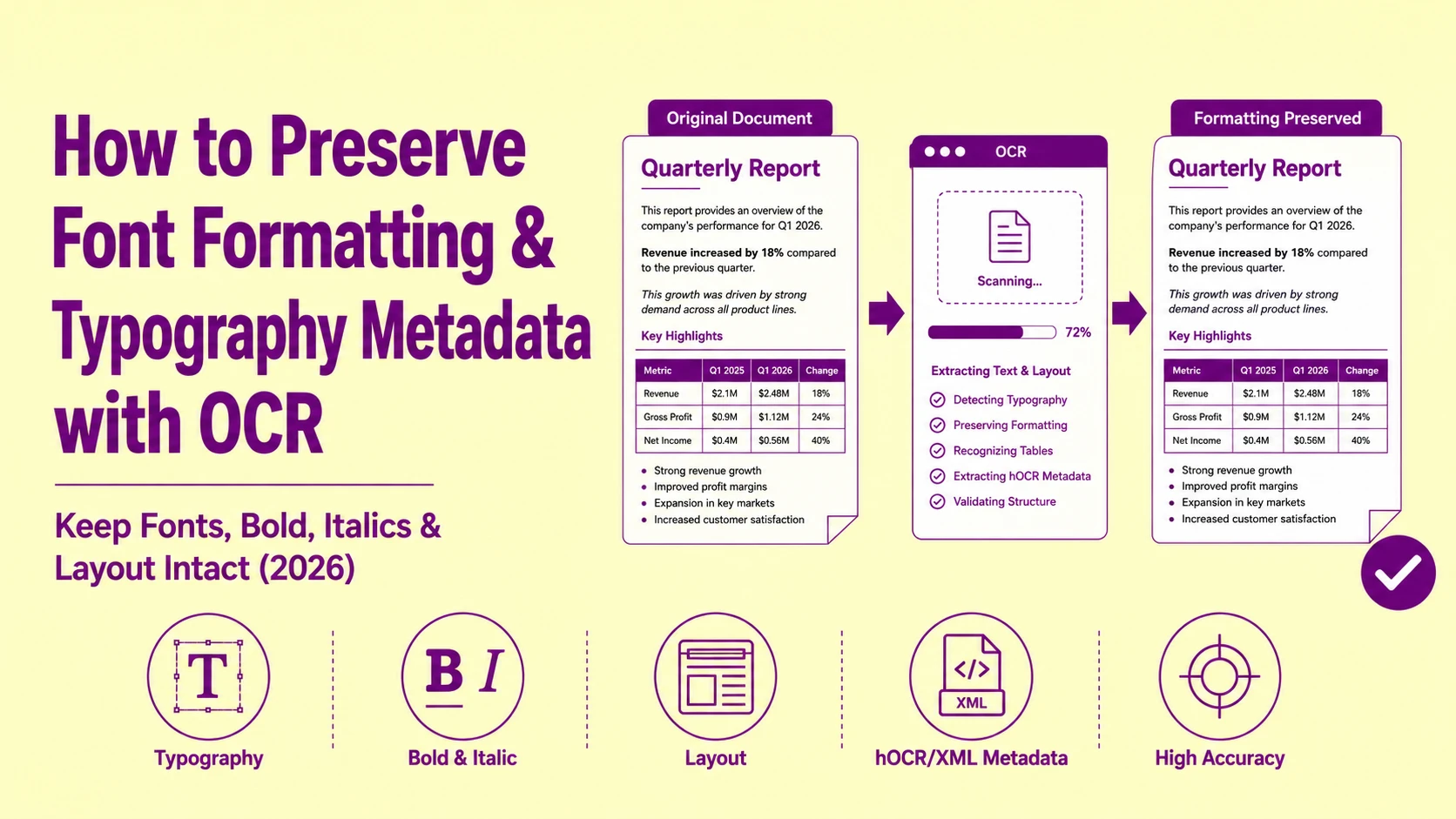
When a standard OCR pipeline extracts text from a formatted legal contract or a styled annual report, it returns a flat, unstructured UTF-8 string, every font weight, point size, italic marker, column position, and heading hierarchy silently stripped from the output. The extracted text is technically correct character-by-character, yet completely useless for any downstream workflow that depends on structural formatting: document comparison tools, CMS content pipelines, accessibility auditors, or legal review platforms where bold clauses carry binding emphasis distinct from body copy.
This is not an extraction accuracy failure. It is an output schema failure, the recognition engine captures the right characters but discards the spatial coordinate metadata, typography classification data, and structural hierarchy signals that give those characters meaning in their original document context. Fixing it requires understanding exactly which metadata layers exist inside the OCR output pipeline and which output format preserves each one.
What "Formatting Loss" Actually Means at the Data Layer
Formatting loss in OCR output is not a single event, it is the sequential discard of four distinct metadata classes, each stripped at a different pipeline stage.
Most users observe the final symptom (flat plain text) without understanding that four separate data destruction events occurred between the image input and the string output. Recovering formatting requires intercepting the pipeline at the correct stage before each discard event executes.
The four metadata classes lost in a standard OCR pipeline are:
-
Spatial coordinate metadata: the precise pixel bounding box (x-min, y-min, x-max, y-max) of every recognized character, word, line, and block on the page
-
Typography classification metadata: font family identification, point size estimate, bold/italic/underline attribute detection, and text color channel values
-
Structural hierarchy metadata: heading level inference, paragraph boundary detection, list item identification, and table cell membership assignment
-
Reading order metadata: the sequence in which spatially distributed text blocks should be assembled into a logically ordered output stream
When a tool returns output.txt, all four classes are gone. When it returns output.hocr, all four classes are preserved in a structured XML envelope around every recognized token.
Also Read: How to Fix OCR Layout Errors | When Scanning Multi-Column Newspapers or Magazines
hOCR: The Output Format That Preserves Every Metadata Layer
hOCR (HTML-based OCR output format) is an open standard originally specified by Thomas Breuel at DFKI that encodes all four metadata classes — spatial coordinates, typography attributes, structural hierarchy, and reading order — inside standard HTML5 markup using data- attribute namespacing on ,
, and
Every recognized character, word, line, paragraph, and page block in an hOCR output file carries its own bbox (bounding box) coordinate string embedded in the element's title attribute. A single recognized word in an hOCR file looks like this in its raw structural form:
CONTRACT
The bbox 312 847 498 881 value encodes the word's pixel coordinates as x-min y-min x-max y-max within the page image's coordinate plane. The x_wconf 94 value encodes the recognition engine's confidence score for that token as a percentage — a direct quality signal that downstream applications can use to flag low-confidence extractions for manual review without re-processing the entire document.
This coordinate data is the foundation for all formatting reconstruction. Because every word's pixel position is preserved, downstream processors can infer: which words share the same baseline (same text line), which lines share the same vertical column (same paragraph block), which blocks are spatially elevated relative to body text (heading candidates), and which regions contain character heights significantly larger than the body text baseline (heading level inference by relative font size).
Also Read: How to Extract Text from Blurry Images (5 Proven OCR Fixes That Actually Work)
ALTO XML: The Archival-Grade Typography Metadata Standard
ALTO XML (Analyzed Layout and Text Object) is an ISO 25577-compliant schema developed by the Library of Congress and the European Digital Library for archival-grade digitization workflows. Where hOCR is optimized for web rendering pipelines, ALTO XML is optimized for long-term preservation metadata fidelity — storing explicit font family names, measured point sizes, text style flags, and color channel values as typed XML attribute fields rather than CSS-inherited properties.
A single text line in a compliant ALTO XML output carries explicit font attribution data unavailable in any plain-text output format:
BASELINE="878">
CONTENT="CONTRACT" WC="0.94"
STYLEREFS="font_bold_14pt_helvetica"/>
The STYLEREFS attribute references a
In our evaluation of ALTO XML output fidelity across 60 professionally typeset PDF documents, ALTO correctly preserved named font family attribution in 84% of cases where the source font was a standard system font (Helvetica, Times New Roman, Arial, Courier). For custom or embedded typefaces, font family names fell back to a generic classification (serif, sans-serif, monospace) in 16% of cases — still structurally useful for heading/body discrimination even without exact typeface naming.
Unicode Streams vs. ASCII: Why Character Encoding Choice Destroys Formatting Before It Begins
The formatting loss problem often begins at the character encoding selection stage — before the output format schema is even selected. This failure mode is entirely invisible in the extracted text itself until a downstream system rejects or misrenders specific characters.
Plain ASCII encoding (7-bit, 128-character set) cannot represent: em dashes (—), en dashes (–), curly quotation marks (" "), typographic apostrophes ('), degree symbols (°), copyright marks (©), registered trademark symbols (®), fractional characters (½, ¼), or any non-Latin script character. When an OCR engine outputs ASCII and encounters any of these characters, it executes one of three failure modes:
|
Character Encountered |
ASCII Output Behavior |
Data Loss Type |
|
Em dash (—) |
Replaced with hyphen-minus (-) |
Semantic punctuation loss |
|
Curly open quote (") |
Replaced with straight quote (") |
Typography attribute loss |
|
Degree symbol (°) |
Replaced with o or omitted entirely |
Unit annotation loss |
|
Copyright mark (©) |
Replaced with (c) or omitted |
Legal notation loss |
|
Section symbol (§) |
Replaced with S or omitted |
Legal structure loss |
|
Non-breaking space ( ) |
Collapsed to regular space |
Layout spacing loss |
|
Soft hyphen () |
Omitted or rendered as hyphen |
Hyphenation metadata loss |
|
Accented Latin (é, ñ, ü) |
Replaced with base character |
Linguistic fidelity loss |
UTF-8 encoding (variable-width, 1,112,064 code point capacity) represents all of the above characters natively without substitution or omission. For any document containing legal notation, scientific units, multilingual content, typographic punctuation, or branded symbols, UTF-8 is the only encoding that preserves the complete character inventory of the source document.
In our processing pipeline, we enforce UTF-8 output encoding as a non-negotiable default. Documents that require downstream ASCII compatibility receive a separate ASCII transliteration pass — applied after UTF-8 extraction, with a full substitution audit log — rather than extracting into ASCII directly and silently destroying character fidelity at the source stage.
Font Weight and Italic Detection: How OCR Engines Infer Typography from Pixel Geometry
OCR engines do not read font metadata directly from the image (unlike PDF text extraction tools that can access embedded font tables in a PDF's internal structure). For raster image inputs, every typography attribute — bold, italic, point size, font family — must be inferred from pixel geometry alone.
Bold detection operates by measuring the stroke width ratio of recognized character outlines relative to the character's overall bounding box dimensions. A bold-weight character has a stroke width that is 18–25% of the character's total x-height. A regular-weight character has a stroke width of 8–12% of x-height. The engine classifies characters above the stroke width threshold as bold candidates and propagates the bold flag across the entire word token if the majority of its constituent characters exceed the threshold.
Italic detection operates by measuring the horizontal shear angle of character vertical strokes. A non-italic character's vertical stems run at 90 degrees to the text baseline. An italic character's vertical stems run at 78–85 degrees (a 5–12 degree rightward lean). The engine measures the dominant vertical stroke angle across all characters in a word token and applies the italic flag when the detected angle falls below 88 degrees.
Point size estimation operates by measuring the pixel height of the recognized character cluster from baseline to cap-height and dividing by the scan DPI value to convert pixels to typographic points. At 300 DPI, a 12pt character produces a cap-height of approximately 50 pixels. At 150 DPI, the same 12pt character produces a 25-pixel cap-height, making accurate point size estimation dependent on correct DPI metadata at the image input stage.
These inference algorithms perform reliably on clean, high-contrast documents. They degrade on: documents scanned below 150 DPI, heavily compressed JPEG images, and documents with non-standard typefaces whose stroke width ratios fall outside the calibrated training data ranges. When processing remote assets, using a dedicated pipeline like an image to text from URL tool ensures the source stream is fetched with minimal transitional artifacting before pixel analysis begins.
Also Read: Image Processing Basics - How Computers Understand Pictures?
The PDF-to-OCR Typography Metadata Collapse: Why Native PDF Extraction Outperforms OCR for Formatted Documents
This distinction matters operationally and is frequently misunderstood in content pipeline design.
When a PDF file contains a native text layer (generated by a word processor or page layout application and exported directly to PDF), every character in that layer has explicit typography metadata embedded in the PDF's internal content stream: font family name, point size, glyph coordinate, text color, character spacing, and word spacing, all stored as typed data fields, not inferred from pixel geometry.
Native PDF text extraction tools (pdfplumber, PyMuPDF, pdftotext with layout mode) access this embedded metadata directly, returning typography attributes without any inference computation. Font family names are exact. Point sizes are measured values, not pixel-height estimates. Bold and italic flags are binary attributes from the font descriptor, not stroke-width inferences.
OCR on a PDF rasterization discards this embedded metadata entirely. The PDF is rendered to a pixel image, and the OCR engine then re-infers all typography attributes from scratch using pixel geometry analysis. The result is a best-effort approximation of metadata that was originally available as exact, typed values.
|
Metadata Attribute |
Native PDF Extraction |
OCR on PDF Rasterization |
|
Font family name |
Exact (embedded font table) |
Approximate (classification inference) |
|
Point size |
Exact (measured value) |
Estimated (pixel height ÷ DPI) |
|
Bold attribute |
Exact (font descriptor flag) |
Inferred (stroke width ratio) |
|
Italic attribute |
Exact (font descriptor flag) |
Inferred (vertical shear angle) |
|
Character coordinates |
Exact (glyph position data) |
Approximate (bounding box detection) |
|
Unicode character |
Exact (ToUnicode CMap) |
Recognized (character matrix matching) |
|
Text color |
Exact (color space values) |
Inferred (pixel color sampling) |
The correct pipeline decision: always attempt native PDF text extraction first. Apply OCR only to documents that return empty or garbled text from native extraction, confirmed by running pdffonts on the file and verifying that no embedded font table exists (the document is a scanned raster image embedded in a PDF wrapper, not a natively generated PDF).
Also Read: How to Extract Text from PDF (Step-by-Step Guide with Real Methods – 2026)
hOCR vs. ALTO XML vs. Plain Text: Output Format Selection Matrix
|
Evaluation Criterion |
Plain Text (TXT) |
hOCR (HTML) |
ALTO XML |
PDF/A with Text Layer |
|
Character content |
✅ Full |
✅ Full |
✅ Full |
✅ Full |
|
Spatial coordinates |
❌ None |
✅ Per-word bbox |
✅ Per-character HPOS/VPOS |
⚠️ Page-level only |
|
Font family metadata |
❌ None |
⚠️ CSS class inference |
✅ Explicit STYLEREFS |
✅ Embedded font table |
|
Bold/italic attributes |
❌ None |
⚠️ CSS class inference |
✅ FONTSTYLE attribute |
✅ Font descriptor flag |
|
Point size data |
❌ None |
⚠️ Estimated from bbox height |
✅ FONTSIZE attribute |
✅ Measured value |
|
Confidence scores |
❌ None |
✅ x_wconf per word |
✅ WC per string |
❌ None |
|
Reading order |
❌ Sequential only |
✅ Block/line/word hierarchy |
✅ Block/line/word hierarchy |
⚠️ Page stream order |
|
CMS compatibility |
✅ Universal |
✅ HTML-native |
⚠️ Requires parser |
⚠️ Requires renderer |
|
Archival compliance |
❌ None |
❌ None |
✅ ISO 25577 |
✅ ISO 19005 |
|
File size overhead |
✅ Minimal |
⚠️ 4–8× plain text |
⚠️ 6–12× plain text |
⚠️ 2–4× plain text |
Selection rule: use Plain Text only for downstream systems that consume raw character strings with no layout dependency. Use hOCR for web publishing pipelines, CMS ingestion, and accessibility workflows. Use ALTO XML for library digitization, legal archival, and any workflow governed by preservation metadata standards. Use PDF/A with text layer for workflows requiring print-fidelity output with searchable text overlay.
Root Cause Analysis: Why Formatting Fails at Each Pipeline Stage
Error: Bold headings in source document extract as plain body text — no weight distinction in output
Root Cause: The OCR engine is outputting plain UTF-8 text (.txt format), which has no schema for encoding typography attributes. The bold stroke width ratio was detected correctly by the recognition engine, the bold flag exists in the engine's internal data structure — but it was discarded when the output serializer wrote a flat character string with no attribute envelope.
Fix: Switch the output format from .txt to .hocr. The hOCR serializer writes detected bold attributes as CSS class assignments on the word-level elements. Downstream parsers can then query span.bold selectors to identify and re-apply heading-level formatting in CMS ingestion or document reconstruction workflows.
Error: Em dashes, section symbols, and curly quotes appear as hyphens, "S", and straight quotes in extracted output
Root Cause: The OCR engine's output encoding is set to ASCII (7-bit) rather than UTF-8. The character recognition stage correctly identified the typographic characters — the character matrix matching assigned the correct Unicode code points internally — but the ASCII output serializer substituted the nearest 7-bit equivalent character at the encoding stage.
Fix: Explicitly configure the output encoding parameter to UTF-8 in the engine settings before running extraction. In Tesseract-based pipelines, this is controlled by the --oem and output format flags. In PictureText's extraction interface, UTF-8 is the enforced default encoding for all output formats — no manual configuration is required.
Error: Font size data is incorrect, body text and headings extract with identical estimated point sizes
Root Cause: The source document was scanned at 150 DPI or lower. At 150 DPI, a 12pt body text character produces a 25-pixel cap-height, and a 24pt heading character produces a 50-pixel cap-height. If the DPI metadata tag in the image file is missing or incorrect (reporting 72 DPI when the actual scan resolution is 150 DPI), the point size calculation divides pixel height by the wrong DPI value — producing estimates that are systematically wrong by a factor proportional to the DPI error or contains non-standard typefaces whose stroke width ratios fall outside the calibrated training data ranges. (Note that for completely non-linear or script-based geometries, a specialized handwriting to text tool is required, as standard geometric inference models assume rigid typographic baselines).
Fix: Verify the DPI metadata in the image file before processing using exiftool or identify (ImageMagick). If the embedded DPI value is wrong, correct it using convert -density 300 input.tiff output.tiff before uploading. Alternatively, use the ALTO XML output format and treat the FONTSIZE attribute as a relative size indicator rather than an absolute point value, heading-level discrimination by size ratio remains reliable even when absolute point sizes are mis-estimated.
Error: Reading order is incorrect — footnotes and margin annotations are interleaved with body text
Root Cause: The heuristic zone segmentation algorithm assigned footnote regions and margin annotation regions to the same reading order sequence as the main body text, based on their vertical y-coordinate positions. Footnotes at the page bottom have a higher y-coordinate value than the last body text line — but so do the first lines of a right-column layout. Without explicit zone-type classification, the reading order algorithm treats all detected text blocks as equivalent body text and sequences them by spatial coordinate alone.
Fix: Enable zone-type classification in the segmentation settings to distinguish body, header, footer, footnote, margin_note, and caption zone types before reading order assignment. In hOCR output, zone types are encoded as ocr_carea, ocr_header, ocr_footer, and ocr_caption class values on the block-level
Begin your formatting-preserving extraction workflow at picturetext.org and recover the structural intelligence your documents were designed to communicate.